

How to manage salon inventory, from supplier to service
The shelf tells you what is left. Managing inventory means knowing why that number changed — and what to order next.
The short answer
How do you manage inventory in a salon?
Keep one record per product per branch, and let it change only through recorded events: deliveries received against an order, retail sales, back-bar product used in services, transfers between branches, wastage and recounts. Count back-bar stock in millilitres or grams rather than bottles. Give every product a low level, and reorder from what is actually being used rather than from memory.
On this page8 sections
- What does salon inventory management include?
- How should a salon track retail stock?
- How do salons track products used during services?
- When should a salon reorder stock?
- How do multi-branch salons manage and transfer stock?
- How do you reconcile salon stock?
- How to start tracking back-bar product per service
- Common questions
What does salon inventory management include?
Every way a product enters or leaves a branch, not only the count at the end. A salon's stock moves in more ways than a shop's: the same shampoo is sold at the till and used at the basin, a delivery arrives one box short, and one branch runs low while another overstocks. Record each movement as it happens, and the number on screen can be explained line by line instead of corrected by hand.
| What happened | Count | Recorded when |
|---|---|---|
| Delivery received against an order | Up | On receipt, in full or in part |
| Retail product sold | Down | The bill is saved |
| Service uses back-bar product | Down by the recipe | The bill is generated |
| Stock sent to another branch | Down here, up there | Shipped, then received |
| Spilt, damaged or expired | Down | Entered as wastage |
| Customer returns a product | Up | Entered as a return |
| Physical count disagrees | Set to the real count | Entered as a recount |
How should a salon track retail stock?
Through the till, so nobody counts sales twice. In Salvoro a product on a bill takes its stock from that branch as the bill is saved, linked to that bill. If the shelf cannot cover the quantity, the bill will not save until it is corrected, so the count never goes negative. Deleting a bill puts the product back as a return, leaving two matching entries rather than a gap.
How do salons track products used during services?
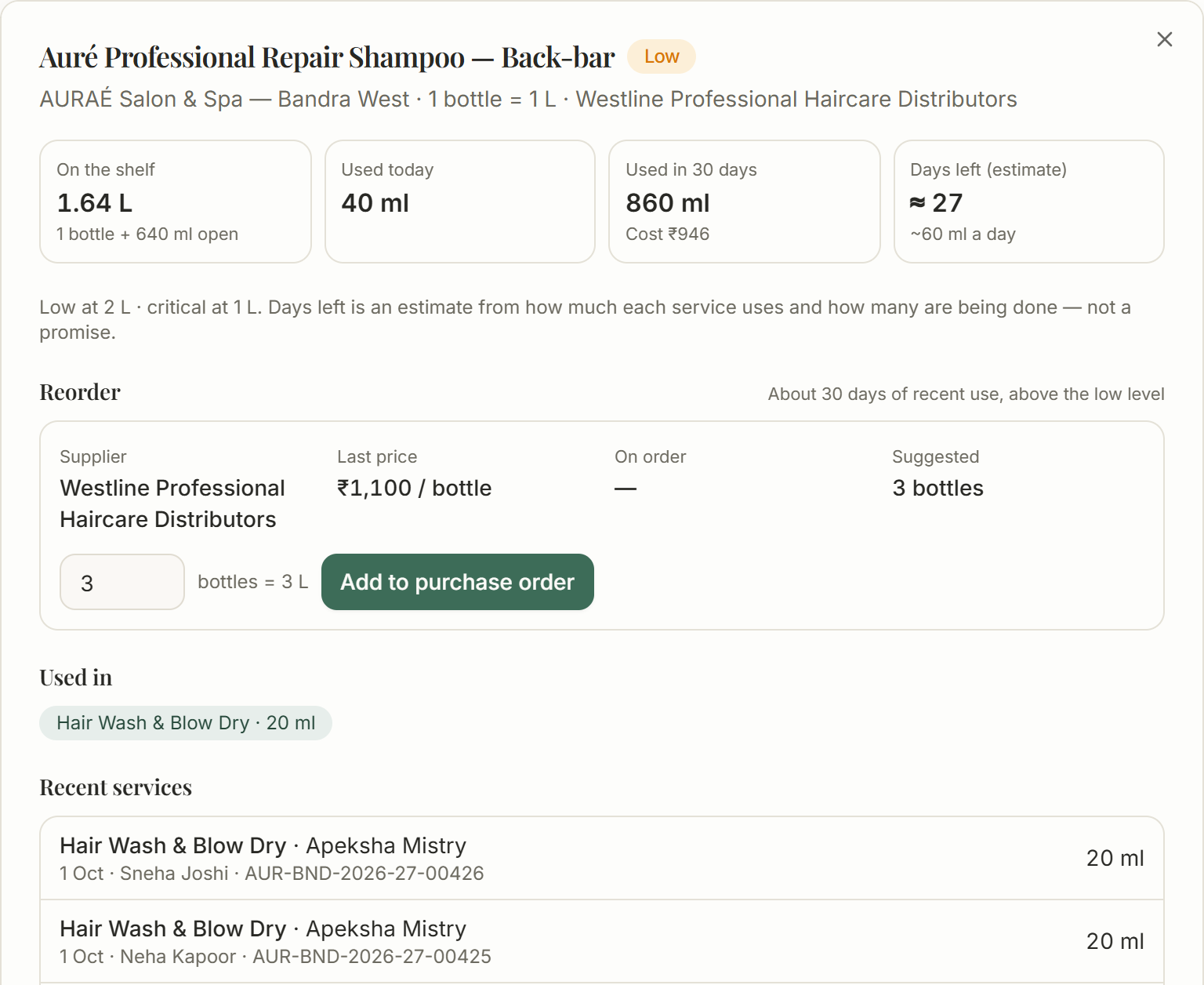
Count back-bar stock — the shampoo, colour and treatments used on clients — in millilitres or grams, and attach it to the service once rather than asking staff to remember it. In Salvoro each service can carry a recipe: a hair wash might use 20 ml of shampoo and 15 ml of conditioner. When its bill is generated, those amounts leave the branch's stock, recorded against the bill, customer and staff member. If the real amount differed, it is corrected on the bill with a reason.
| Step | Change | On the shelf |
|---|---|---|
| Bottle received from the supplier | + 1,000 ml | 1,000 ml |
| First hair wash billed | − 20 ml | 980 ml |
| Second hair wash billed | − 20 ml | 960 ml |
- Nothing moves while a bill is being built or is on hold
- Pressing the button twice still takes the recipe amounts once
- Editing a bill applies only the difference; deleting it puts the product back
- A bill is never refused for back-bar stock — the shortfall is recorded instead
When should a salon reorder stock?
When the stock position — the shelf plus what is already on order — reaches a low level you set from how quickly the product goes and how long a delivery takes. In Salvoro that raises an alert at most once a day per product, and the reorder list suggests whole packs from recent use, at the last price paid. Counting open orders is what stops the same bottles being ordered twice.
- Chosen lines become draft purchase orders, one per supplier and branch
- A person reviews and sends each draft; nothing is ordered automatically
- Deliveries are received against the order line by line, in parts if needed
- Optional batch tracking records expiry; services use the batch expiring first
How do multi-branch salons manage and transfer stock?
By keeping stock per branch, not per company. “We have 25 bottles” is the wrong answer when one branch has 20 and the other has five. In Salvoro the same shampoo is a separate record at each location, with its own count, low level and history. When one branch is short and another has spare, a transfer is often quicker than a new order — provided both ends are recorded.
- Draft: the lines are chosen and nothing has moved
- Shipped: the stock leaves the sending branch
- Received: it arrives at the destination, in full or in parts
- Closed short: whatever never arrived goes back to the sender or is recorded as lost
How do you reconcile salon stock?
From the history, not by typing over the total. Every stock movement in Salvoro keeps the balance it left and what caused it — a bill, a purchase order or a transfer. Wastage is entered with a reason such as spillage or expiry, and a recount sets the count to what is really there. A back-bar product's last 30 days reconcile line by line, from opening stock to closing, so when the shelf and screen disagree you can see why.
| Movement | Millilitres |
|---|---|
| Opening stock | 1,000 |
| Delivered on a purchase order | + 2,000 |
| Received from another branch | + 500 |
| Used by billed services | − 350 |
| Wastage (spillage) | − 100 |
| Sent to another branch | − 200 |
| Recount adjustment | − 50 |
| Closing stock, matching the shelf | 2,800 |
How to start tracking back-bar product per service
The setup that lets every billed service take its own products from stock.
Mark the products you use on clients
Set each back-bar product as used in services, counted in millilitres or grams with its pack size: a 1 L bottle is 1,000 ml.
Record what is on the shelf now
Enter opening stock as a stock-in, so the history starts from a real figure, not a number typed over the record.
Set a low level for each product
Pick the quantity that should warn you, from how fast it goes and how long a delivery takes.
Add a recipe to each service
List what one service uses — say 20 ml of shampoo and 15 ml of conditioner for a hair wash.
Bill as usual, then check the first week
Each billed service takes its recipe amounts. Correct any line that differed, then compare shelf and screen after a week.
Common questions
- It is the product a salon uses on clients during services, as opposed to retail stock sold for them to take home — shampoo at the basin, conditioner, colour, developer, masks and treatment creams. It is best counted in millilitres or grams, because a service uses part of a bottle rather than a whole one.
- Give each service that uses shampoo a recipe with the amount it takes — 20 ml for a hair wash, say — and count the shampoo in millilitres. In Salvoro every billed hair wash then takes 20 ml from that branch's stock, so a 1 L bottle reads 980 ml after one wash and 960 ml after two.
- No. It suggests what to reorder and turns the lines you choose into draft purchase orders, one per supplier and branch. A person reviews and sends each draft, and it is marked as ordered only once the message to the supplier has actually gone.
- Usually because something left the shelf unrecorded: product used on a client, a spill, or a short delivery signed for as complete. Recording service use, wastage and deliveries as they happen closes most of the gap; a recount with a note of why corrects the rest.
More from the blog
See how Salvoro does it
See it with your own salon’s data
30 days free, no card required, and a guided setup that takes four steps.